
You pull into your driveway, expecting your exterior property to light up and welcome you safely to your front door. Instead, your outdoor LED motion sensor lights stay completely dark. You step out of your car into the pitch black, fumbling for your house keys, feeling a sudden chill as you realize your property is currently vulnerable.
This is a frustrating and all-too-common scenario for many homeowners. Your exterior lighting is the first line of defense against intruders, and when it fails, your peace of mind takes a direct hit. But before you panic and rush to buy a brand new lighting system, take a deep breath. More often than not, a simple reset is all you need.
Understanding how to reset home sensor lights outdoor led fixtures is a vital skill for any homeowner. Whether your lights are refusing to turn on, staying illuminated 24/7, or flashing sporadically at every passing stray cat, a quick reset can usually solve the problem. Resetting your system not only restores your home’s security, but it also saves you money on energy costs by preventing lights from burning needlessly through the daylight hours.
Why Reset Outdoor LED Motion Lights?
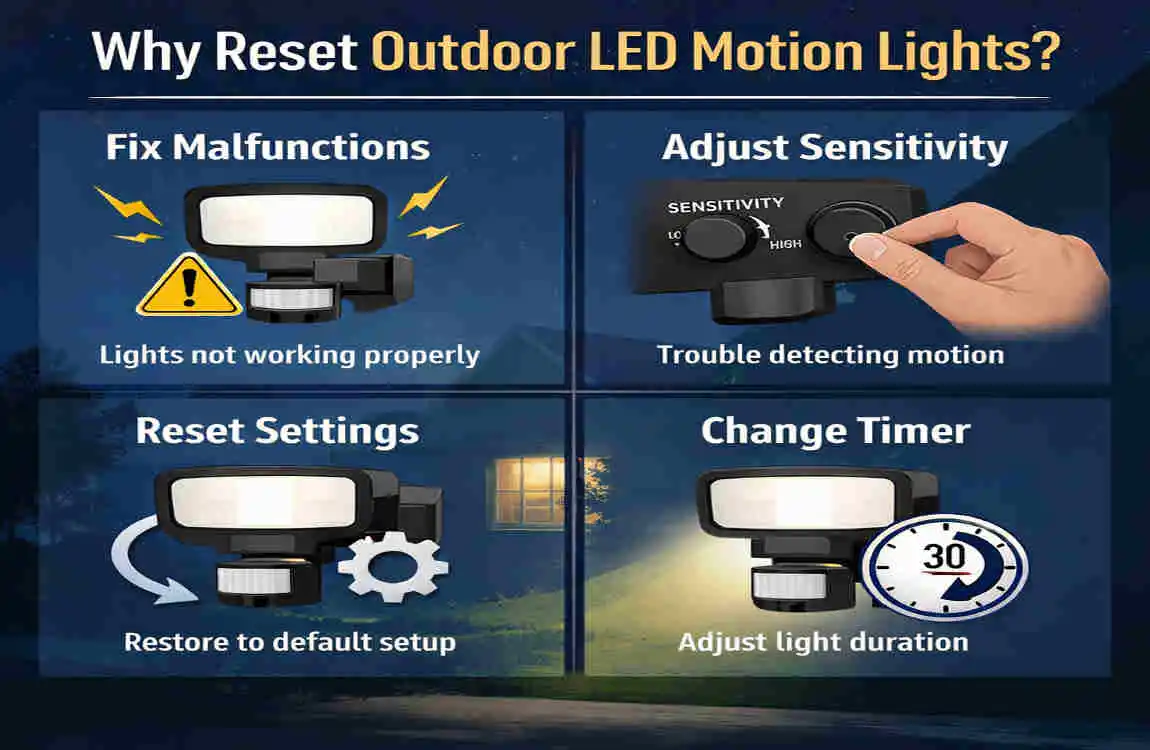
You might be asking yourself, why do these modern, high-tech lights suddenly stop working correctly in the first place? It is a great question. Outdoor lights are exposed to the harshest elements year-round, which means they endure a lot of wear and tear. Let us look at the most common reasons you might need to perform a reset.
Power Surges and Electrical Blips Even a tiny, unnoticeable power surge can scramble the microchip inside your motion sensor. If you recently experienced a severe thunderstorm, a neighborhood blackout, or even just a brief flicker in your home’s power, your sensor’s internal computer might be confused. A reset clears its memory and gives it a fresh start.
Dust, Dirt, and debris on the Lens The “eye” of your motion sensor is a delicate piece of technology. Over time, wind blows dust, pollen, and dirt onto the curved plastic lens. When this debris builds up, it literally blinds the sensor. It can no longer detect the infrared heat of a person walking by, causing it to fail.
Sensitivity Drift Over Time Have you noticed your lights turning on when a tiny leaf blows past? Over time, the internal calibration of your sensor can drift. What was once a perfect setting can become overly sensitive or entirely numb. Resetting recalibrates the baseline detection range.
Aging Components and Weathering Nothing lasts forever, especially outdoor electronics. Extreme heat, freezing snow, and heavy rain slowly degrade the components inside your lighting fixture. Sometimes, a reset is the gentle nudge these aging parts need to get back in sync.
The Benefits of a Quick Fix
Learning how to reset home sensor lights outdoor led offers incredible benefits. First and foremost, it is a massive money saver. Instead of hiring an expensive professional or spending $50 to $200 on a brand new fixture, you can apply a quick fix in just ten minutes.
Furthermore, a proper reset often improves the overall detection range and accuracy of your lights. You will stop paying for wasted electricity, and you will sleep better knowing your security system is fully optimized.
When to DIY vs. When to Call the Pros
It is important to know your limits. You should absolutely try to reset outdoor motion lights yourself if the problem seems basic—like a stuck light or a dirty lens. However, if you notice sparking, smell burning plastic, or find exposed, frayed wires, stop immediately. These are serious fire hazards. In those cases, always call a licensed electrician.
Tools Needed
Before you climb up a ladder or start flipping switches, you need to gather the right tools. Having everything within arm’s reach makes the process of how to reset home sensor lights outdoor led much safer and far less frustrating.
You do not need a professional electrician’s toolkit for this job. You likely already have most of these items sitting in your garage or utility drawer. Let us take a look at the essentials.
Tool/Item Purpose Cost Estimate
Screwdriver set To access the fixture and adjust tiny control dials. $10
Sturdy Ladder To safely reach high-mounted security lights. $50+
Soft microfiber cloth To gently clean the sensor lens without scratching it. Free (Household)
Digital Multimeter To test the power supply if the light is totally dead. $20
Replacement LED bulb Just in case the current bulb has burned out. $5-15
A Quick Note on Safety Gear Always prioritize your physical safety. When working with outdoor fixtures, especially if you have to use a ladder on uneven ground, make sure someone is home with you. Wear closed-toe shoes with good grip. If you are going to be opening the electrical housing, a pair of insulated rubber gloves and protective safety glasses are highly recommended. You can never be too careful when learning how to fix LED sensor lights!
Preparation Steps
Preparation is the key to any successful DIY home project. If you rush headfirst into fixing your lights without setting the stage, you might cause more problems than you solve. Let us walk through the crucial preparation steps.
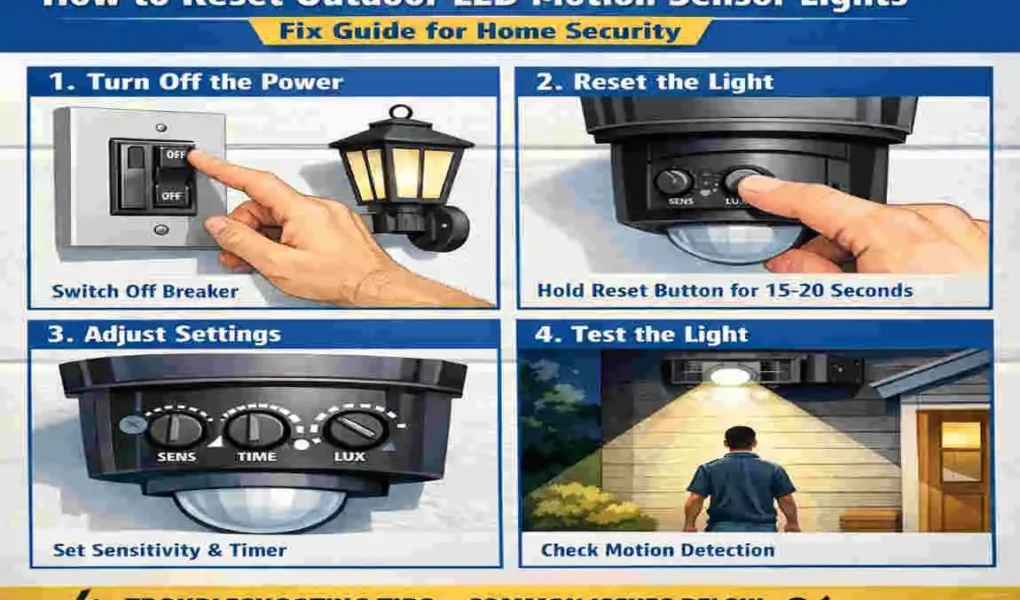
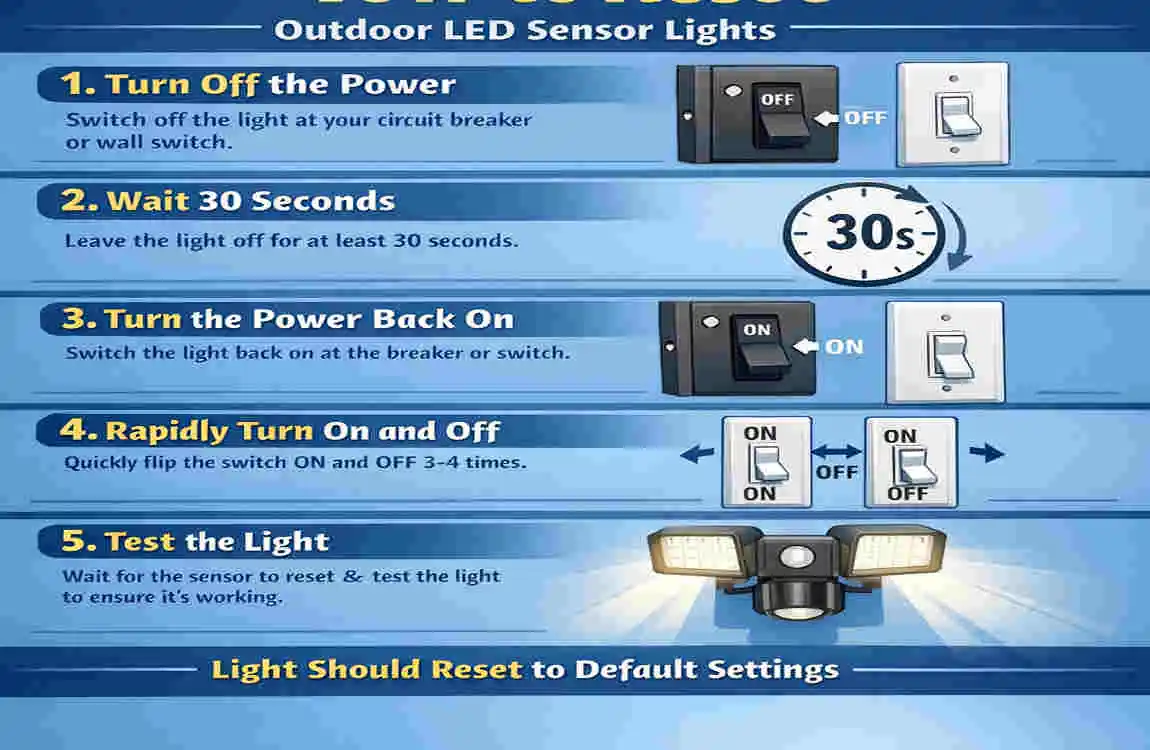
Safety First: Manage the Breaker Electricity is completely unforgiving, so we must cut the power before doing anything physical to the light fixture. Go to your home’s main electrical panel. Locate the specific circuit breaker that sends power to your outdoor lights. Flip this switch to the “Off” position.
Now, this is very important: wait at least 60 seconds. Electronic devices hold onto residual electrical charges even after the power is cut. Waiting a full minute ensures that the capacitor inside the sensor is completely drained, making it safe to touch.
The Manual Switch Test Before you tear the light apart, try testing it manually. Many outdoor LED lights have a manual override feature wired to the indoor wall switch. Go to the wall switch that controls your outdoor light. Flip it on and off four times quickly (within a span of about two seconds). This rapid toggling often bypasses the motion sensor entirely, forcing the light to turn on and stay on. If the light illuminates, congratulations! You know the bulb and wiring are good, and the issue is strictly a sensor glitch.
Document Your Current Settings Before you start twisting dials and pushing buttons, take out your smartphone. Snap a clear photo of the bottom of the motion sensor where the control dials are located. You want to document exactly where the sensitivity, timer, and lux settings were originally positioned. If your troubleshooting goes awry, you will be incredibly thankful to have a visual record of the default settings so you can return them to normal.
Step-by-Step Reset Guide
Now we arrive at the core of our guide. This is where we roll up our sleeves and get to work. We have broken down the process into four distinct, easy-to-follow methods. Work your way through these steps chronologically to troubleshoot outdoor LED security lights effectively.
Power Cycle Reset (Basic Fix)
The most common, and easiest, way to resolve sensor glitches is a simple power cycle. Just like restarting a frozen computer or a glitchy smartphone, rebooting the light often clears out internal errors.
- Locate the Main Breaker: Walk over to your electrical panel. Find the specific breaker switch labeled for your outdoor lighting or garage exterior.
- Switch it Off: Flip the breaker firmly to the “Off” position. Leave it strictly off for a minimum of 60 seconds. As mentioned earlier, this allows the memory to wipe and reset completely.
- Restore the Power: Flip the breaker back to the “On” position.
- Test the Motion Trigger: Walk out to your driveway or yard. Step into the sensor’s field of view. Wave your arms. If the light pops on, your power cycle reset was a success!
What if the Breaker Method Fails? If the breaker method didn’t work, we can try the wall switch cycle. Go to the standard indoor light switch that controls the fixture. Turn the switch on, then off, four times in rapid succession. After the fourth flip, leave the switch in the “Off” position for 5 to 7 seconds. Finally, turn it back “On.” This specific sequence sends a hard reset signal to many modern LED sensor models, snapping them out of their frozen state.
Factory Reset via Controls
If power cycling didn’t do the trick, your sensor might be confused by its own internal settings. This is where we perform a manual factory reset using the physical dials on the unit.
- Find the Control Dials: Grab your ladder and carefully climb up to the light fixture. Look at the underside of the motion sensor head. You will typically find three small dials:
- Sensitivity (Sens): Controls how far the sensor reaches to detect motion. If it is set too high, falling leaves will trigger it.
- Timer (Time): Controls how long the light stays illuminated after detecting movement (usually ranging from 1 to 10 minutes).
- Lux (Light/Sun-Moon icon): Controls the ambient light level. It tells the sensor whether to operate only in total darkness, or during dusk/dawn.
- Turn Everything to Minimum: Using a small screwdriver, gently turn all three of these dials to their absolute minimum settings (usually all the way to the left).
- Power Off the Unit: Turn off the power at the wall switch or breaker for one full minute.
- Reset to Default Positions: Turn the power back on. Now, adjust the dials back to a standard, middle-ground setting. Put the timer at 1 minute, the sensitivity halfway, and the Lux dial pointing toward the “Moon” icon (dusk setting).
- Perform a Walk-Test: Step back roughly 40 feet from the light. Walk steadily toward the fixture. Note exactly where you are standing when the light clicks on. Adjust the sensitivity dial slightly up or down until the light catches you at the perfect distance.
Sensor Cleaning & Re-Aiming
Sometimes, the answer to how to reset home sensor lights outdoor led has nothing to do with electricity, and everything to do with basic cleanliness and geometry.
- Wipe the Lens Clean: Take your soft microfiber cloth. Dampen it slightly with plain water. Do not use harsh chemical cleaners, glass sprays, or abrasive sponges. The plastic lens on a motion sensor is highly sensitive to chemicals and scratches easily. Gently wipe away dust, dirt, and water spots. A clean lens dramatically improves infrared detection.
- Check for Obstructions: Look closely around the light fixture. Are there thick cobwebs blocking the sensor? Is there a tree branch that recently grew into the light’s line of sight? Clear away any physical obstructions.
- Adjust the Angle: The angle of the sensor is critical. It should not be pointing straight outward like a laser beam, nor straight down at the ground. Gently physically tilt the sensor head so it faces downward at a 45 to 72-degree angle. Furthermore, make sure it is not accidentally aimed at a busy street where passing cars will trigger it, or at your neighbor’s HVAC unit which emits confusing heat waves.
Bulb & Wiring Check
If you have tried all the above resets and the light remains stubbornly dark, you must investigate the physical hardware.
- Inspect and Replace the Bulb: LED lights are famous for lasting a decade, but sometimes they fail prematurely. If your fixture uses replaceable bulbs (an E26 base is the most common standard size), unscrew the old bulb. Inspect the base for black scorch marks. Screw in a brand new, known-working LED bulb and test the system.
- Use a Multimeter for Continuity: If the new bulb doesn’t work, you need to check if electricity is actually reaching the socket. Only do this if you are comfortable and experienced with electrical testing. Turn the power back on. Carefully use a digital multimeter set to alternating current (AC) to test the socket. You should read around 120V. If there is no voltage reading, your problem is not the sensor—it is a broken wire inside your walls or a dead switch, and you need a professional electrician.
Troubleshooting Quick-Reference Table
To make things even easier, here is a handy cheat sheet for your motion detector troubleshooting journey:
Symptom Likely Cause Quick Fix
No light at all Power outage or dead bulb Cycle the breaker; replace LED bulb.
Light stays always on Sensitivity set way too high Dial down the “Sens” knob; check manual override.
Intermittent/random flashing Dirty lens or loose wire Clean lens with a soft cloth; re-aim sensor downward.
Triggers during the daytime Faulty photocell (Lux setting) Cover sensor with tape to test; adjust Lux to “Moon”.
Advanced Troubleshooting
You have tried the basics, but the lights are still acting up. Don’t worry, we are not giving up yet. Let us dive into some advanced troubleshooting steps for specific types of outdoor lighting.
Battery-Operated Motion Lights If you have a wire-free, battery-powered LED sensor light, the solution is often simpler than you think. When the batteries begin to run low, the sensor acts erratically. It might flash, stay on dimly, or refuse to turn on at all. The golden rule here is to replace all the batteries at the same time. Never mix old batteries with new ones, and never mix different brands. Open the battery compartment and check the metal contact points. If you see crusty white or green corrosion, clean it off with an old toothbrush and a drop of white vinegar before inserting fresh batteries.
Smart LED security Lights Modern homes often use Wi-Fi-enabled smart security lights. If these fail, a physical reset might not be enough. You need to look at the software. First, open the corresponding app on your smartphone. Check your Wi-Fi signal strength in the app; if the light is too far from your router, it will disconnect and fail to trigger. Next, clear the cache of the app on your phone. Finally, check the settings menu for a firmware update. Manufacturers regularly release software patches to fix known sensor bugs. Updating the firmware is the digital equivalent of how to reset home sensor lights outdoor led.
Weatherproofing and Moisture Issues Water is the natural enemy of electronics. If you live in an area with heavy rain or high humidity, moisture might be seeping into the sensor housing. Inspect the rubber gaskets around the glass and the wall mount. If they look cracked or brittle, water is getting in. You can fix this by applying a thin bead of clear, exterior-grade silicone sealant around the base of the fixture where it meets the wall.
Prevention Tips
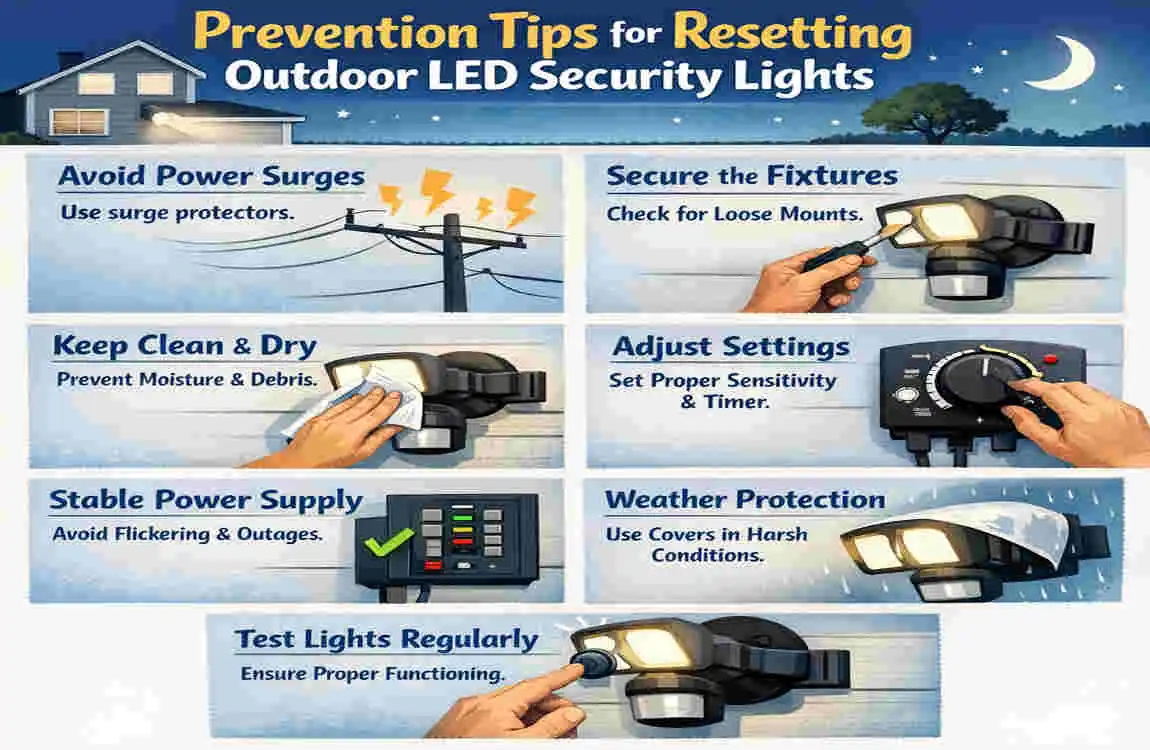
Now that you have successfully mastered how to fix LED sensor lights, you want to make sure they stay fixed. A little bit of preventative maintenance goes a long, long way in extending the lifespan of your security system.
Establish a Monthly Testing Routine Do not wait for an emergency to find out your lights are broken. On the first weekend of every month, take five minutes to do a walk-test. Stroll around your property at dusk and ensure every sensor picks up your movement accurately. Catching a sensitivity issue early prevents weeks of wasted electricity.
Be Mindful of Heat Sources Motion sensors look for changes in infrared heat. Therefore, you must keep them away from artificial heat sources. Never mount a sensor light directly above a tumble dryer exhaust vent, an active chimney, or a large air conditioning condenser unit. The sudden bursts of hot air from these appliances will constantly trick the sensor into turning the lights on.
Consider Upgrading to Solar LED If you are tired of dealing with complicated household wiring or changing batteries, it might be time to upgrade. Solar-powered LED motion lights have become incredibly reliable in recent years. They draw power entirely from the sun, making them immune to household power surges and blackouts. Upgrading to solar is a fantastic way to guarantee your security lights operate independently of your main electrical grid.
FAQs
Even with a detailed guide, you might still have a few lingering questions. Let us address some of the most common queries homeowners have when learning how to reset home sensor lights outdoor led.
How long does it usually take to perform a reset? The physical act of resetting is incredibly fast. Toggling the wall switch or flipping the breaker takes just seconds. However, you must factor in the crucial waiting period. Always leave the power off for 1 to 2 minutes to allow the memory to clear. Overall, the whole process takes less than five minutes.
Why does my light stay on for hours after it is triggered? This is almost always an issue with your “Timer” dial. Grab a ladder and check the settings under the sensor. If the dial has been bumped or cranked all the way to the maximum, the light might be instructed to stay on for 10 or 15 minutes per trigger. Dial it back down to the 1-minute or 2-minute mark.
What should I do if my light absolutely won’t reset? If you have tried the breaker, the wall switch, cleaning the lens, and replacing the bulb, the internal microchip has likely failed permanently. At this point, check your manufacturer’s warranty. Many reputable brands offer 3 to 5-year warranties on LED security fixtures and will replace a dead unit for free.
How much does it cost to replace the whole fixture myself? If the unit is out of warranty and beyond repair, replacing it yourself is quite affordable. A standard, high-quality outdoor LED motion sensor light costs between $20 and $100 at most hardware stores. Doing the DIY swap saves you the $150+ fee of hiring an electrician.
Can heavy rain or fog trigger the motion sensor? Yes, it can. Extremely heavy sheets of rain, dense fog, or thick, blowing snow can sometimes reflect enough ambient light and alter temperature zones enough to trick the infrared sensor. If this happens frequently in bad weather, try slightly lowering the sensitivity dial.
Is it safe to leave the motion light on 24/7? While LED bulbs are designed to run cool and last for thousands of hours, leaving them on permanently defeats the purpose of a security light. It wastes electricity and removes the “startle effect” that deters burglars. It is always better to troubleshoot and fix the sensor than to leave it burning constantly.
Does a power outage damage the motion sensor? A simple loss of power usually does not cause damage. However, the aggressive power surge that often happens the split second the grid comes back online can fry the delicate circuitry. This is why a manual reset is so often required after a major neighborhood blackout.