
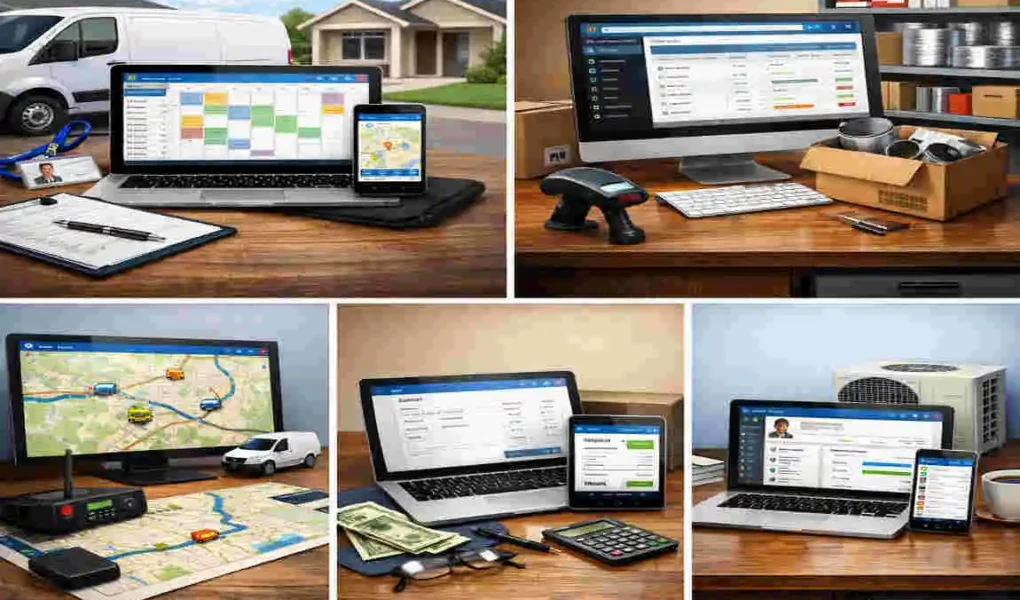
A tool does not have to be fully lost to cost you money. Sometimes it is sitting in the wrong van. Sometimes a tech forgot to check it back in. Sometimes it breaks, but nobody reports it. And sometimes your crew wastes 20 minutes at the jobsite just trying to figure out who last had the vacuum pump, recovery machine, or digital gauge set.
In simple terms, a tool management system helps HVAC installers track, assign, maintain, and audit tools across trucks, warehouses, jobsites, and teams. Some systems use QR codes or barcodes. Some use RFID tags. Others combine mobile apps, cloud dashboards, check-in/check-out records, and maintenance reminders into one process.
If you have been asking, what is the best tool management system for HVAC installers, the honest answer is this: it depends on your crew size, your budget, and how deep you want your tracking process to go. A small service-and-install company may need a simple mobile-friendly app. A larger commercial contractor may need RFID, warehouse visibility, and stronger reporting. A company already running an all-in-one field service platform may want tool tracking built into that larger system.
Why HVAC Installers Need Tool Management
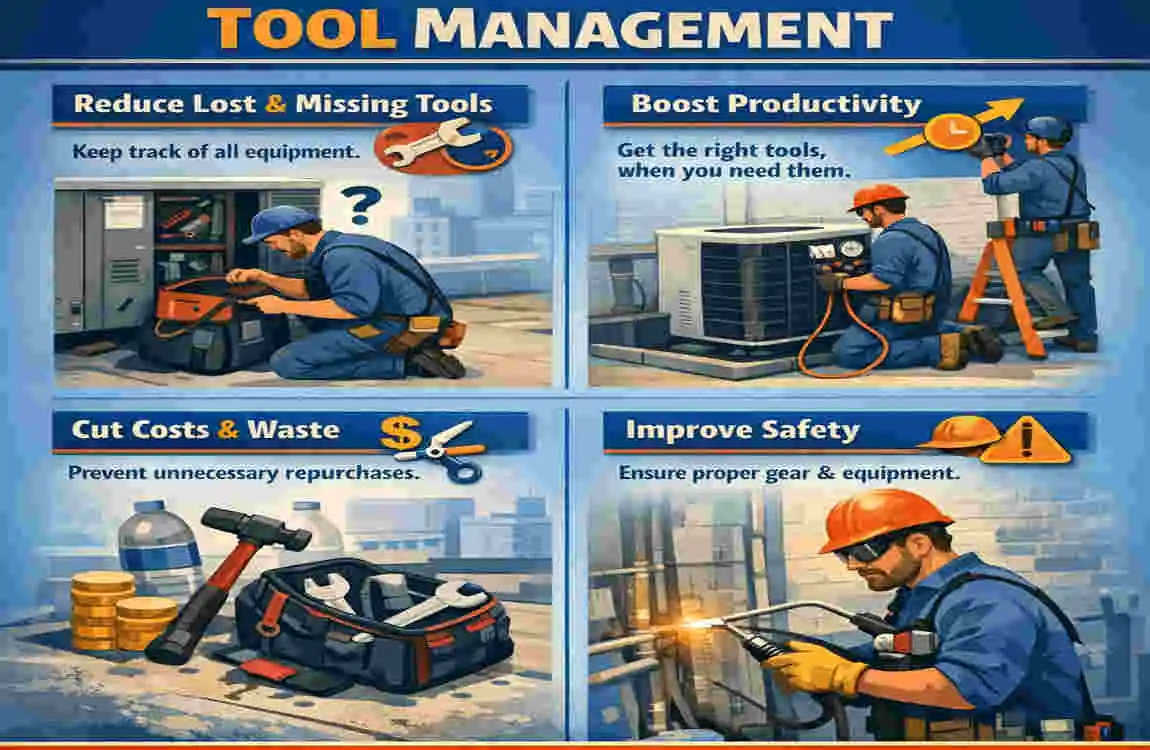
HVAC work is not office work. Your team is always moving.
Tools go from the shop to the van, from the van to the roof, from one tech to another, and then back again. That constant movement creates blind spots. Without a system, those blind spots turn into missing tools, wasted time, and frustrated crews.
Mobile crews create tracking problems fast
An HVAC installer rarely works from one fixed location.
One day your team is on a residential replacement. The next day they are doing ductwork in a new build. After that, they are back on a rooftop package unit install. Every move increases the chance that tools get left behind, transferred informally, or stored in the wrong place.
This is why HVAC tool management is different from general office inventory. You are not tracking static assets sitting on shelves. You are tracking moving tools.
That includes:
- Hand tools like cutters, crimpers, and wrenches
- Diagnostic tools like meters and gauges
- Installation tools like drills, benders, and vacuum pumps
- Shared equipment like ladders, torches, recovery machines, and leak detectors
When you lack visibility, you end up relying on memory. And memory is not a system.
The real cost is bigger than the replacement cost
Many HVAC owners only think about the cost of replacing a missing tool.
But the replacement cost is only part of the damage.
The bigger cost often comes from downtime, schedule delays, and crew inefficiency. If a lead installer shows up without the right tool, the job slows down. If someone has to drive back to the shop, your labor cost goes up. If a key piece of equipment is unavailable, you can miss deadlines and upset customers.
And there is another hidden cost: duplicate buying.
How many times has a company ordered another meter, another drill, or another set of hand tools simply because nobody could confirm where the original one was? That kind of spending adds up quietly, month after month.
A good tool management system reduces that waste by giving you a simple answer to simple questions:
Who has the tool? Where is it? When was it checked out? Is it working?
Accountability helps without turning into micromanagement
Some owners hesitate to introduce tool tracking because they worry it will feel controlling.
That only happens when the system is badly introduced.
A good process is not about blaming techs. It is about creating shared accountability. Everyone knows where tools belong, how they get assigned, and how they get returned. That clarity actually reduces tension because fewer people get accused when something goes missing.
Instead of hearing, “Who took the pipe threader?” you can check the app.
Instead of asking, “Did anyone see the combustion analyzer?” you can look at the last handoff record.
That makes life easier for managers and techs alike.
Tool management supports maintenance and safety too
HVAC companies do not only lose tools. They also lose track of tool condition.
That matters more than many businesses realize.
A damaged ladder, a worn extension cord, a poorly maintained vacuum pump, or an uncalibrated testing device can create safety issues, poor job quality, and rework. A proper HVAC tool inventory system can help you schedule maintenance, log inspections, and retire tools that should no longer be in service.
That is especially useful if you want cleaner internal records, stronger job-readiness, and greater consistency across crews.
It scales better as your team grows
A two-person team can get away with a loose system for a while.
A ten-tech company starts to feel the pain.
A twenty-tech company really feels it.
Once you have multiple install crews, multiple vans, shared specialty tools, and a mix of warehouse and field inventory, it becomes much harder to manage by text message, whiteboard, or memory. A real tool management system gives you structure before disorder becomes normal.
And that is the real reason HVAC installers need it. It is not just about knowing where a drill is. It is about building a business that runs with less confusion.
Key Features of the Best Tool Management Systems for HVAC Installers
Not every inventory platform is a true fit for HVAC field work.
Some systems are too broad. Some are too complex. Some are built more for warehouse stock than for moving tools. If you want to choose well, focus on the features that actually match how HVAC installers work in the real world.
Fast QR, barcode, or RFID scanning
The best system is the one your team will actually use.
That means scanning must be quick and simple. If a tech can scan a tool tag with a phone in a few seconds, adoption goes up. If the process takes too long, people skip it.
For many HVAC companies, QR codes or barcodes are the easiest starting point. They are affordable, simple to label, and easy to train on. For larger businesses with more tools and more locations, RFID can offer faster, deeper visibility.
The important part is not the label type by itself. The important part is whether your team can use it without friction.
Clear check-in and check-out records
This is one of the most valuable features in any system.
You want a clean digital trail showing:
- Who took the tool
- When they took it
- Which truck, person, or job it was assigned to
- When it came back
- Whether it came back in good condition
This feature creates accountability without drama. It also helps supervisors plan tool availability across multiple jobs.
Mobile-first design for field crews
HVAC installers live in trucks and jobsites, not at desks.
So the software needs to work well on a phone. The mobile app should let users scan, search, update tool status, request equipment, and complete transfers from the field. If the mobile experience feels clunky, adoption drops fast.
When comparing systems, always ask a simple question: Can a busy installer use this in under a minute without calling the office for help?
If the answer is no, keep looking.
Real-time location and assignment visibility
Not every system offers live GPS for every tool, and many do not need to.
What matters more is useful visibility. You should be able to tell if a tool is assigned to a specific person, van, warehouse, or jobsite. That alone can eliminate a huge amount of confusion.
For higher-value tools, location tracking becomes even more important. If you have expensive recovery units, specialty testing gear, or shared commercial install equipment, knowing where those items are can save serious time.
Maintenance schedules and service reminders
Tools are assets. Assets need care.
The best HVAC tool inventory systems do more than tell you where a tool is. They also help you track maintenance dates, inspection records, and repair history.
This is especially useful for tools that directly affect safety, testing quality, or install performance. You do not want crews finding out on site that a key tool is dead, damaged, or overdue for service.
Audits and reporting
If you cannot report on tool usage, you are only seeing part of the picture.
A strong reporting feature helps you answer questions like:
- Which tools go missing most often?
- Which vans are overstocked or understocked?
- Which teams check tools back in properly?
- Which assets sit unused for long periods?
- Which items keep needing repair or replacement?
Those answers help you buy smarter, manage better, and spot problems before they become expensive habits.
Integrations with your existing software
This matters more than it first appears.
If your tool management system can connect with your field service software, accounting platform, or job management workflow, your whole process becomes smoother. Your office team spends less time entering the same information twice. Your field team sees cleaner records. And your leadership team gets better visibility.
If you already use a larger HVAC operations platform, this may heavily influence your choice.
Feature table: What matters most for HVAC teams
Feature Why It Matters for HVAC Installers What It Looks Like in Daily Use
Real-time tracking Helps you see what is in a truck, at a jobsite, or in the shop A supervisor quickly checks where a recovery machine is assigned
Check-in/check-out Creates accountability and reduces confusion A tech scans a vacuum pump before taking it to a new install
Mobile app Field teams need speed and simplicity A crew member uses their phone to transfer a tool in seconds
Inventory alerts Prevents shortages and duplicate buying The office sees that key install items are running low
Maintenance scheduling Keeps tools reliable and safer to use The system flags an item due for inspection or service
Reporting and audits Helps you control losses and improve buying decisions Management reviews missing tools, usage patterns, and downtime
The best systems do not just track tools. They fit into the rhythm of HVAC work.
Top 7 Tool Management Systems for HVAC Installers
Now let’s get into the platforms themselves.
These are all contenders for the best tool management system for HVAC installers, but they are not all built for the same type of company. Some are ideal for smaller teams that want fast rollout and easy use. Others are better for larger contractors with warehouses, multiple crews, and more advanced control needs.
Share My Tool box
If your biggest goal is to track tools clearly without overcomplicating the process, ShareMyToolbox is often a strong option to start with.
Its biggest appeal is its focus. It is built around tools and equipment accountability, not around trying to be a giant all-in-one business platform. That makes it attractive to HVAC installers who want a system their field teams can quickly understand.
In practical terms, this kind of platform works well because HVAC companies need simple answers fast. Who has the duct stretcher? Which van has the vacuum pump? Did that set of gauges get returned? A tool-first system is built around those everyday questions.
For small to mid-sized HVAC operations, that focus can be a major advantage. You can build a tool list, tag assets, assign them to people or locations, and keep a digital record of movement without burying your crew in a complicated setup.
Another reason it stands out is adoption. If a system is easy to learn, it is far more likely to become part of the daily routine. That matters more than flashy features. The best software on paper is still a bad choice if your team avoids using it.
Why HVAC installers like it:
- Easy to understand and use
- Strong fit for tool check-in/check-out
- Good for shared tools across vans and crews
- Useful for audits and accountability
- Feels more focused than broad field service platforms
Possible downsides:
- May not be deep enough for companies wanting advanced RFID workflows
- Less appealing if you want one platform to run your entire business
- Larger enterprise operations may want more warehouse-heavy controls
Best for: Small to mid-sized HVAC teams that want a practical, tool-centered system without a steep learning curve.
Panatrack
Panatrack is a stronger fit for HVAC businesses that need more advanced inventory and asset control, especially across larger operations.
If your company handles warehouse inventory, vehicle stock, field equipment, jobsite transfers, and more structured workflows, a system like this can be very appealing. It is especially relevant for commercial HVAC contractors, larger install teams, and businesses that want stronger visibility across many moving assets.
One of the biggest reasons companies look at Panatrack is the potential for more advanced tracking methods, including RFID-focused processes. That can make a big difference when you are dealing with high asset volume and want faster audits or location-based visibility.
It can also help when your operation is too large for a basic tool checkout app but not yet organized enough to control everything manually. In those cases, a more robust platform gives you structure.
The tradeoff is setup. Systems with deeper functionality often require more planning, cleaner data, and greater internal discipline to realize their full value. That is not always a bad thing, but you should be ready for it.
Why HVAC installers like it:
- Strong fit for larger fleets and warehouses
- Better for advanced asset workflows
- Useful when you need more than simple tool assignment
- Often a better fit for commercial or multi-location operations
Possible downsides:
- More setup effort than lighter tools
- May feel too complex for smaller HVAC teams
- Usually better suited to companies with a clear internal process already
Best for: Larger HVAC contractors, warehouse-driven operations, and teams that need more advanced tracking depth.
Service Titan Inventory
Service Titan is not just a tool tracking system. It is a broader field service management platform with inventory capabilities inside a much larger operating system.
That is both its biggest strength and its biggest limitation.
If your HVAC company already runs scheduling, dispatching, customer management, invoicing, and technician workflows through a single platform, then having inventory and asset visibility within the same ecosystem can be very powerful. Your office and field staff work within a single, connected environment rather than bouncing between multiple tools.
For residential HVAC businesses in particular, this can be attractive. If you want one system to support service calls, estimates, job tracking, and some level of inventory control, an all-in-one approach can reduce software sprawl.
The downside is that companies searching specifically for the best tool-tracking software for HVAC technicians may find that a broader system is not always the most elegant tool-management solution. Sometimes a platform built for the whole business is less precise when it comes to day-to-day shared tool control.
There is also the question of budget. Broad enterprise-style platforms can make sense when you use the full system. They make less sense if you only want cleaner tool accountability.
Why HVAC installers like it:
- Strong fit if you already want an all-in-one HVAC operations platform
- Good visibility between office and field workflows
- Useful for companies managing parts, jobs, and service together
- Helps reduce the number of disconnected systems
Possible downsides:
- May be more platform than you need for tool tracking alone
- Can be expensive for smaller businesses
- Tool-specific workflows may not feel as focused as dedicated systems
Best for: Residential HVAC businesses and growing companies that want inventory management within a full-field service platform.
House call Pro
House call Pro is often attractive because it is approachable.
For HVAC businesses that are still early in their software journey, it can feel less intimidating than larger enterprise tools. It is commonly adopted by companies seeking scheduling, dispatch, invoicing, and some inventory support in a single, simple package.
When it comes to pure tool management, though, it is more of a starter option than a specialist tool platform. That does not make it bad. It just means you should be realistic about what problem you are trying to solve.
If your company mainly needs better organization around jobs, customers, and basic field stock, Housecall Pro can make sense. If your real pain point is shared install tools constantly going missing between crews, you may outgrow it.
Pros:
- Easy for smaller teams to learn
- Good entry point for digital operations
- Helpful if you want broad field service basics
Cons:
- Less specialized for detailed tool tracking
- May not satisfy companies with lots of shared assets
- Better for general operations than deep tool control
Best for: Smaller HVAC businesses wanting a simple starting point.
Jobber
Jobber sits in a similar lane to Housecall Pro in many ways.
It is a business operations platform first, and a deep tool management platform second. That means it can be useful if you want cleaner job management and basic inventory awareness, especially for home service workflows.
Some HVAC companies like it because it is simple, organized, and easier to adopt than larger systems. If your team is coming from spreadsheets and text messages, that alone can be a major step forward.
Still, if your main question is strictly which is the best tool management system for HVAC installers, Jobber is usually a secondary option rather than a top specialist pick. It helps operationally, but it is less likely to be the strongest answer for companies with a lot of expensive, shared installation equipment.
Pros:
- Clean and approachable
- Useful for home service workflow management
- Good improvement over manual processes
Cons:
- Basic for advanced tool tracking needs
- Limited if you want strong asset accountability
- Better as an operations platform than a tool-focused system
Best for: Small service-oriented HVAC businesses wanting simple digital organization.
Hilti ON! Track
Hilti ON! Track is often considered when companies want stronger asset tracking for tools and equipment, especially in physically demanding environments.
That makes it interesting for HVAC contractors who rely on expensive power tools, shared install gear, and rugged field conditions. If durability, tagging quality, and asset visibility are priorities, this type of platform deserves attention.
One clear advantage is its stronger asset-management feel. It is designed with equipment control in mind, not just generic office inventory. That can be useful if your HVAC crews work across rough commercial sites where tools change hands often and damage risk is higher.
At the same time, some businesses may feel it naturally leans toward construction-heavy use cases or toward companies already comfortable with the Hilti ecosystem. That does not mean non-Hilti users cannot benefit. It simply means you should look closely at how well it matches your existing buying habits and tool mix.
Why HVAC installers like it:
- Strong asset-tracking mindset
- Appealing for expensive tools and equipment
- Good fit for rugged field environments
- Useful where durability matters
Possible downsides:
- May feel more construction-centered for some users
- Could be more than smaller teams need
- Best fit depends on your broader tool environment
Best for: HVAC contractors with extensive field equipment and a stronger asset-control mindset.
Asset Panda
Asset Panda is usually attractive for one main reason: flexibility.
It is a customizable asset-tracking platform that can be a big plus for HVAC companies looking to shape workflows around their own processes. If your business has unique approval steps, tool categories, or location rules, a customizable system can be helpful.
That flexibility is powerful, but it comes with a tradeoff. More customization often means more setup decisions, more admin work, and more training. If you want an out-of-the-box solution for HVAC tools, a dedicated tool platform can get you up and running faster.
Still, for growing companies that want the flexibility to tailor fields, statuses, and reports, Asset Panda is worth a serious look.
Pros:
- Highly adaptable
- Scales well for companies with complex tracking needs
- Good when standard systems feel too rigid
Cons:
- Learning curve can be higher
- Setup may take longer
- May require more internal ownership to use well
Best for: HVAC businesses that want a customizable asset platform and can invest time in setup.
Comparison Table: Which System Fits Which HVAC Business?
Here is a simple side-by-side view to help you narrow the field.
System Pricing Style Tracking Approach HVAC Fit Best For
Share My Tool box Usually lower-cost, tool-focused pricing QR/barcode-style tool accountability High Small to mid-sized crews that want simple, dedicated tool tracking
Panatrack Custom quote style Advanced asset tracking, often stronger for RFID-style workflows High Larger HVAC contractors, warehouses, and commercial operations
Service Titan Inventory Higher all-in-one platform pricing Inventory inside a broader field service system Medium to High Residential HVAC companies wanting one connected business platform
House call Pro Starter-friendly subscription style Basic inventory inside field service operations Medium Smaller companies beginning digital operations
Jobber Starter to mid-range subscription style Basic inventory and job workflow support Medium Home service companies wanting simplicity
Hilti ON! Track Asset-management oriented pricing Tool and equipment asset tracking Medium to High Contractors focused on equipment control in rugged environments
Asset Panda Customizable platform pricing Flexible asset tracking workflows Medium to High Companies needing custom processes and reporting
If you are judging these platforms solely on pure tool-tracking for HVAC installers, ShareMyToolbox often comes out ahead for ease, focus, and practical day-to-day use.
If you are managing a much larger operation with more complex tracking requirements, Panatrack may be a better long-term fit.
If you want one giant platform to help run more of the business, Service Titan may make more sense than a tool-only system.
How to Choose the Best Tool Management System for Your HVAC Team
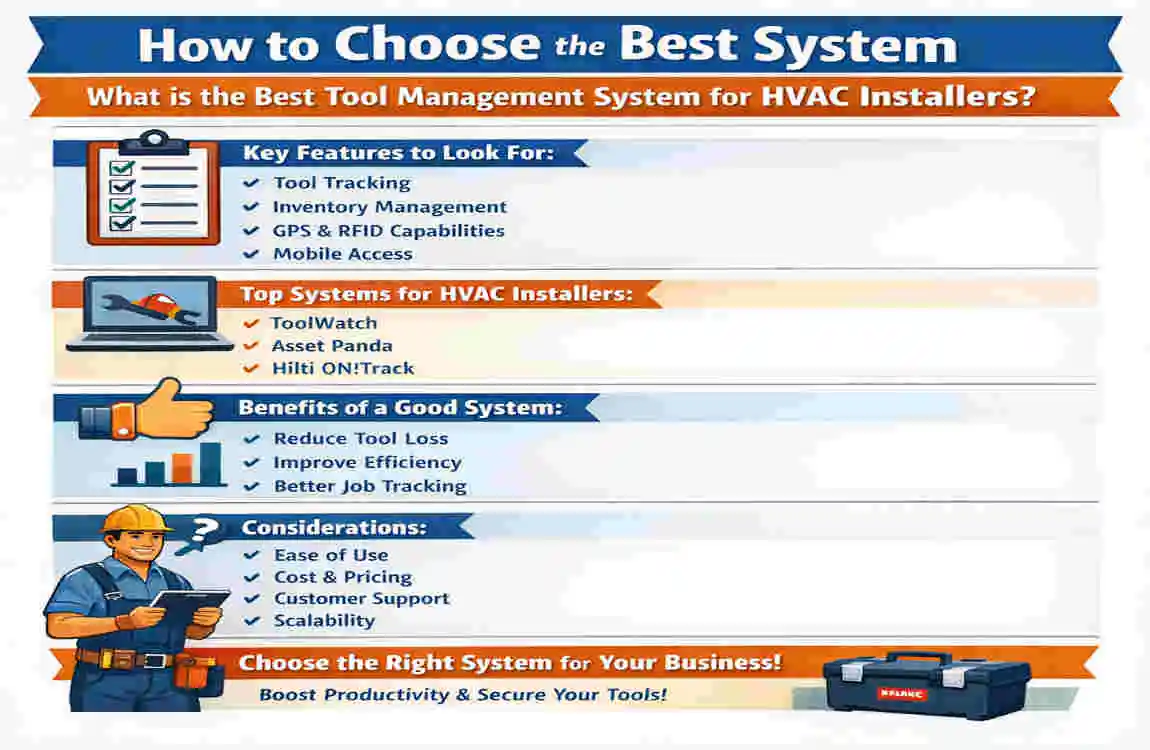
Choosing the right system gets easier when you stop asking, “Which one is best?” and start asking, “Which one fits the way we actually work?”
Start with team size
A smaller HVAC company does not need the same system as a large commercial contractor.
If you have a few install crews and mostly need check-in/check-out accountability, you are probably better off with a simpler platform. If you run multiple branches, shared warehouses, and high asset volume, you may need stronger controls and deeper reporting.
Be honest about your real problem
Are you trying to solve:
- Lost tools?
- Poor van visibility?
- Weak accountability?
- Warehouse-to-jobsite confusion?
- Maintenance tracking?
- All of the above?
If your biggest pain point is missing tools between crews, choose a tool-first platform. If your bigger issue is disconnected business systems, an all-in-one operations platform may be more useful.
Check your software stack
You do not want a new system that creates more work than it removes.
Look at the software you already use for dispatch, accounting, customer management, and job tracking. If integration matters a lot to your office team, that should influence your decision early.
Focus on adoption, not just features
A system that looks amazing in a demo can still fail in the field.
Ask yourself:
- Can techs use it quickly?
- Can it work from a phone?
- Will supervisors actually review the reports?
- Can the office team manage it without constant cleanup?
The best tool management system for HVAC installers is the one your people will actually use every day.
Run a short pilot before full rollout
Do not force a company-wide launch on day one.
Test three systems if possible. Use a small group of installers, a few vans, and a meaningful set of shared tools. See how fast people learn it. Watch where the process breaks. Then scale up with confidence.
Implementation Tips for a Smooth Rollout
Even the best software fails when rollout is messy.
The good news is that implementation does not have to be complicated if you keep it practical.
Tag your most important tools first
Do not try to tag every screwdriver on the first day.
Start with the tools that matter most: shared equipment, high-value items, hard-to-replace assets, and tools that frequently go missing. Once the team gets used to the process, expand gradually.
Train in plain language
Do not overteach.
Show your team three actions first:
- How to scan a tool
- How to check it out
- How to return or transfer it
That alone covers most daily use.
Assign one owner internally
Every rollout needs a point person.
This could be an operations manager, warehouse lead, service manager, or install supervisor. Someone needs to own the process, answer questions, and keep the records clean.
Track a few simple KPIs
You do not need a giant dashboard at first.
Start by watching:
- Missing tool count
- Tool replacement spend
- Check-in/check-out compliance
- Time spent searching for tools
- Maintenance completion rate