
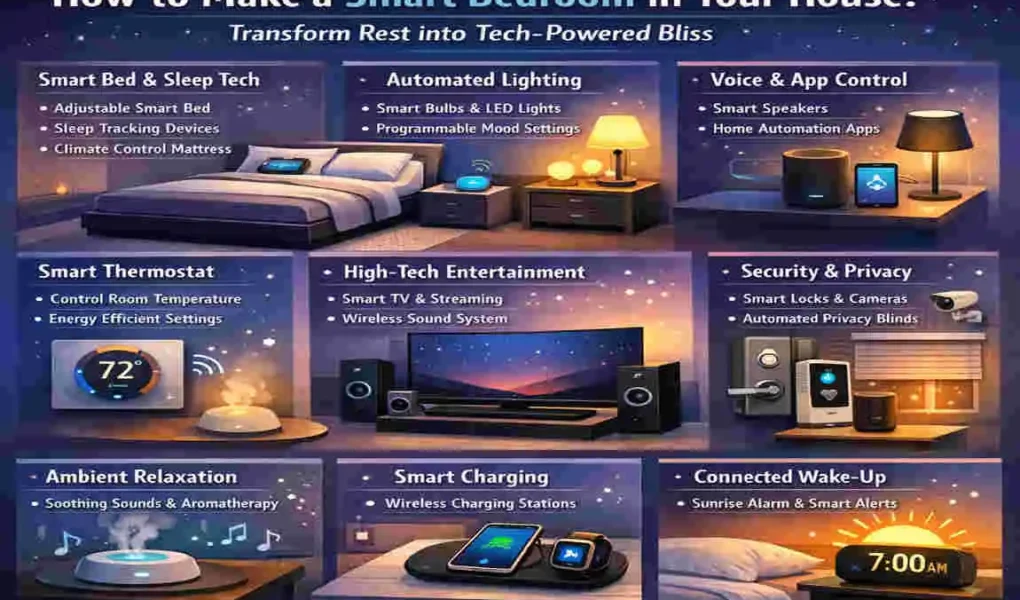
Imagine this scenario: It is Monday morning. Usually, this means a jarring alarm clock, a stumble across a dark room, and the shivering shock of cold air before you even reach the light switch. Now, imagine a different reality. Your bedroom blinds gently rise to let in the morning sun 15 minutes before you need to wake up. The lights fade up slowly, simulating a sunrise. Your thermostat has already warmed the room to a cozy 70 degrees, and the smell of fresh coffee—brewed automatically by a smart plug in the kitchen—wafts in.
We often spend thousands on living room entertainment systems or kitchen gadgets, yet we neglect the room where we spend one-third of our lives. A smart bedroom blends technology with comfort to optimize your sleep and streamline your daily routines. It transforms your sleeping quarters from a passive room into an active partner in your health and well-being.
What Exactly is a Smart Bedroom?
At its core, a smart bedroom is a space where devices are connected to the internet (often called the Internet of Things, or IoT) and can talk to each other. These devices—ranging from light bulbs to mattresses—can be controlled via smartphone apps, smart hubs, or simple voice commands.
But it is more than just cool gadgets. It addresses the real pain points of modern rest:
- Poor sleep caused by temperature fluctuations.
- Disrupted circadian rhythms due to harsh artificial lighting.
- The stress of “Did I lock the front door?” keeps you awake.
- Inconsistent bedtime routines that leave you tossing and turning.
The Benefits Are Real
If you are wondering if it is worth the effort, the data says yes. Studies on smart tech integration suggest that optimizing your sleep environment can lead to 20-30% better sleep scores. Furthermore, smart automation, like scheduling lights and heaters to turn off when you leave, can result in energy savings of up to 15%.
If you have been searching for how to make a smart bedroom, you are in the right place. We are going to move past the hype and get into the practical, step-by-step setup.
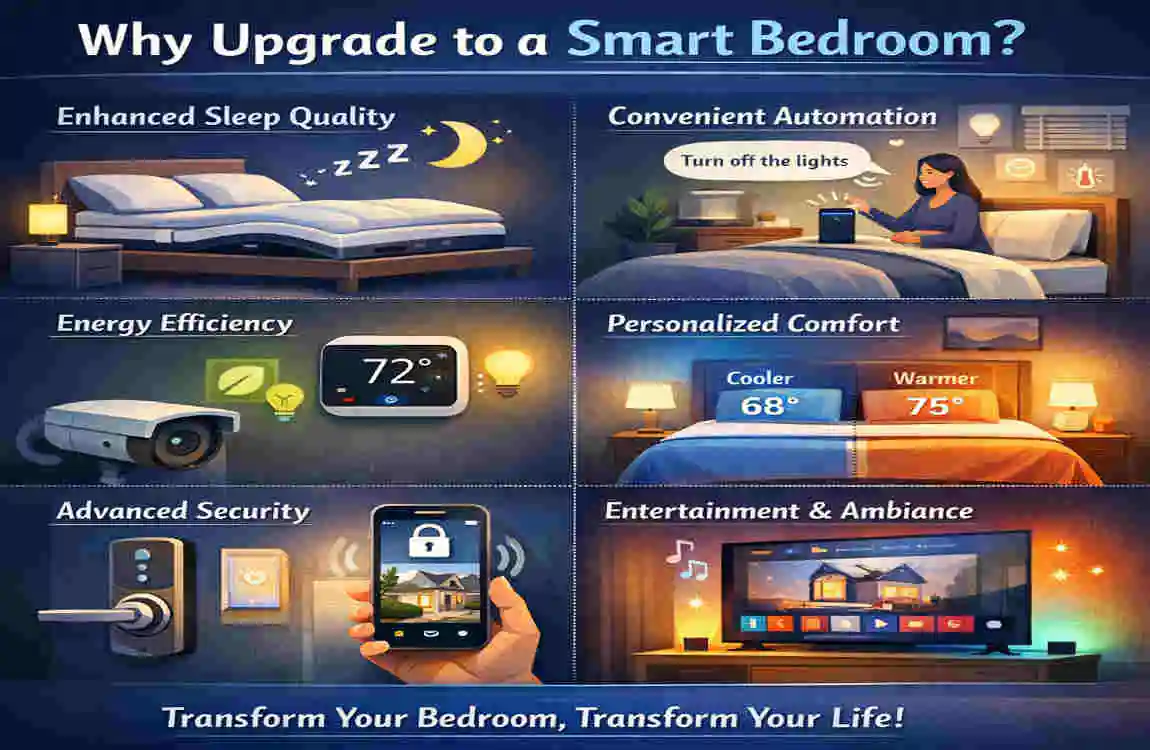
Why Upgrade to a Smart Bedroom?
You might be thinking, “I have slept fine for years without Wi-Fi in my pillow. Why change now?” It is a fair question. However, upgrading to a smart bedroom isn’t just about adding complexity; it is about adding value and simplicity to your life. Let’s break down the return on investment (ROI) and the science-backed perks.
Improved Sleep Hygiene
Your body runs on a biological clock known as the circadian rhythm. This rhythm is heavily influenced by light and temperature. Traditional bedrooms often fight against this natural cycle with bright blue LED lights at night and blackout curtains that keep it pitch black in the morning.
A smart bedroom fixes this. Automated lighting can shift to warm, amber tones in the evening to stimulate melatonin production (the sleep hormone) and switch to bright, cool white light in the morning to help you wake up alert. This isn’t just convenient; it is biological optimization.
Convenience for Busy Lifestyles
We are all busy. Every minute counts. Voice-activated controls and automation can save you those precious 5-10 minutes every night and morning. Instead of walking around the house checking locks, turning off lights, and adjusting the thermostat, a single command—”Alexa, Goodnight”—does it all instantly. It reduces the mental load before bed, allowing you to drift off faster.
Tangible Health Gains
Beyond just feeling rested, smart tech offers health benefits you can measure.
- Air Quality: Smart air purifiers can monitor for allergens, dust, and VOCs, automatically kicking into high gear when air quality drops. This is a game-changer for allergy sufferers.
- Data Insights: Sleep trackers don’t just guess; they provide data. They tell you how much REM sleep you are getting, your heart rate variability, and your restlessness. This data empowers you to make lifestyle changes that actually stick.
Cost Savings and Future-Proofing
While there is an upfront cost, smart devices often pay for themselves.
- Smart Plugs: These can kill “vampire power” (energy used by devices in standby mode).
- Smart Thermostats: These are famous for slashing heating and cooling bills by learning your schedule and only conditioning the room when you are actually there.
Additionally, with the introduction of the Matter standard—a new language that allows smart devices from different brands to talk to each other—investing now means you are future-proofing your home. You won’t be locked into one brand forever.
Planning Your Smart Bedroom Setup
Before you rush out to buy the latest gadgets, you need a plan. Trying to build a smart bedroom without a strategy is a recipe for frustration and wasted money. Here is how to assess your needs before you spend a dime.
Assess Your Space and Infrastructure
First, look at the physical space. Measure the areas where you might want to place a smart hub or a smart display. You don’t want a device that clutters your nightstand.
More importantly, check your Wi-Fi strength. Smart devices rely on a stable internet connection. If your bedroom is in a “dead zone” where your phone struggles to load a webpage, your smart lights will lag, and your speakers will buffer.
- Pro Tip: Download a Wi-Fi analyzer app to check the signal strength in your bedroom. If it is weak, you might need to invest in a Wi-Fi extender or a Mesh Wi-Fi system first.
Set Your Goals
What is your priority?
- The Sleeper: Focus on blackout shades, sound machines, and temperature control.
- The Waker: Focus on sunrise alarms, coffee automation, and upbeat morning playlists.
- The Mood Setter: Focus on color-changing lights and entertainment.
Knowing your “why” will help you decide how to make a smart bedroom that suits you.
Determine Your Budget
Smart tech scales easily. You don’t have to buy everything at once.
- Starter Tier ($200): A smart speaker (Echo Dot/Nest Mini), two smart plugs, and a set of smart bulbs.
- Mid-Range ($800): The above, plus a smart thermostat, a better hub with a screen, and perhaps a smart lock.
- Premium ($2000+): Automated shades, high-end sleep trackers, smart mattress covers, and premium air purifiers.
Choose Your Ecosystem
This is the most critical decision. To make everything work seamlessly, you generally want to stick to one primary ecosystem:
- Amazon Alexa: Compatible with the widest range of devices. Great for beginners.
- Google Home: Excellent if you use Android phones and love Google Assistant’s ability to answer complex questions.
- Apple HomeKit: The best choice for iPhone users who prioritize privacy and security, though compatible devices can be slightly more expensive.
Recommendation: Start small. Buy one smart plug and one bulb that works with your phone. Test the waters before diving into a full renovation.
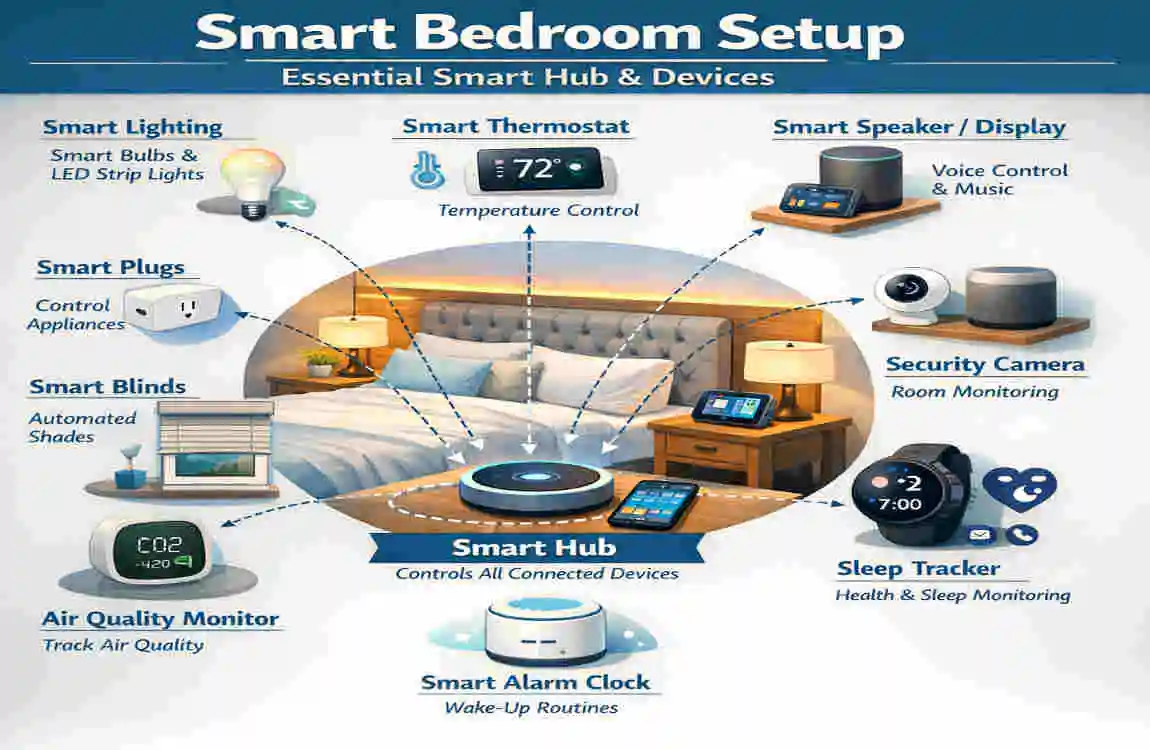
Essential Smart Hub and Devices
Now we get to the fun part: the gear. This section is the core “how-to” on building the brain and body of your setup. We will break this down into three essential categories.
Select a Central Smart Hub
Think of the hub as the conductor of an orchestra. It tells every other device when to play and how loud.
-
- The Options: Amazon Echo Show: These have screens, which are great for a bedside table. You can see the time, weather, and even view security camera feeds without picking up your phone.
- Google Nest Hub: Similar to the Echo Show but integrates deeply with Google Photos and Calendar. It also has a “Sleep Sensing” feature that uses radar to track your sleep without you wearing a watch.
- Apple HomePod Mini: A speaker-only hub that is great for Siri users.
Setup Steps:
- Plug the device into a power outlet near your bed.
- Download the corresponding app (Alexa, Google Home, etc.) on your smartphone.
- Follow the on-screen prompts to connect it to your Wi-Fi.
- Link your music accounts (Spotify, Apple Music) so you can play tunes by voice.
Add Smart Plugs for Easy Wins
If you want to know how to make a smart bedroom on a budget, smart plugs are the secret weapon. They turn “dumb” appliances into smart ones.
- Transform Lamps and Fans: Take your existing bedside lamp. Plug the smart plug into the wall, and then plug the lamp into the smart plug. Leave the lamp’s physical switch “On.” Now, the smart plug controls the power flow.
- Recommendations: The TP-Link Kasa series and Wemo Mini are reliable, affordable, and easy to use.
Usage Idea: Connect a simple floor fan to a smart plug. If you wake up hot in the middle of the night, you can just say, “Turn on the fan,” without getting out of bed.
Install Smart Lighting
Lighting sets the tone. Smart bulbs allow you to dim lights without installing dimmer switches and change colors to suit your mood.
-
- Bulbs and Strips: Philips Hue: The gold standard. They are expensive but reliable and offer incredibly smooth dimming.
- Govee: A fantastic budget option, especially for LED light strips to put under your bed frame or behind your headboard.
- Setup: Simply screw the bulb into your existing lamp. Open the app to sync it.
- The Routine: Set a “Wind Down” routine where the lights automatically dim to 50% brightness at 9:00 PM and switch to a warm, candlelight color. Then, have them fade off by 10:30 PM.
Quick Comparison: Top Smart Bedroom Essentials
Device Type Top Pick Key Feature Price Range
Hub Echo Show 8 Touchscreen routines & camera $100 – $150
Plug Kasa HS100 Energy monitoring capabilities $15 – $25
Bulbs Philips Hue White 16 Million Colors & Ambiance $50 / pack
Automate Climate and Air Control
You can have the best mattress in the world, but if the room is stuffy or freezing, you won’t sleep well. Automating your climate is a massive step toward “tech-powered bliss.”
Smart Thermostats
A smart thermostat allows you to control the temperature of your bedroom specifically, rather than just the hallway where the thermostat usually lives.
- The Solution: Devices like the Ecobee Smart Thermostat come with room sensors. You can place a sensor on your nightstand. The thermostat will then prioritize the temperature in the bedroom during the hours you sleep, ignoring the temperature in the living room.
- Ideal Settings: Sleep experts recommend a room temperature between 65 and 68 degrees Fahrenheit for optimal rest. You can schedule your thermostat to hit this target 30 minutes before your bedtime.
Smart Air Purifiers
Air quality is often overlooked. Dust, pet dander, and pollen can cause congestion that leads to snoring and restless sleep.
- Tech Pick: The Dyson Pure Cool series connects to an app that shows you a real-time graph of your air quality. It creates a gentle, cooling breeze while cleaning the air.
- Integration: You can set it to “Night Mode” via the app, which dims the display and keeps the fan quiet so it doesn’t disturb you.
Smart Humidifiers
In winter, dry air can dry out your nasal passages and throat.
- Tech Pick: The Levoit Smart Humidifier has auto-humidity sensors. You tell it you want 45% humidity, and it will turn on and off automatically to maintain that level. No more waking up with a scratchy throat.
How to Automate This: Create a voice command called “Bedtime.”
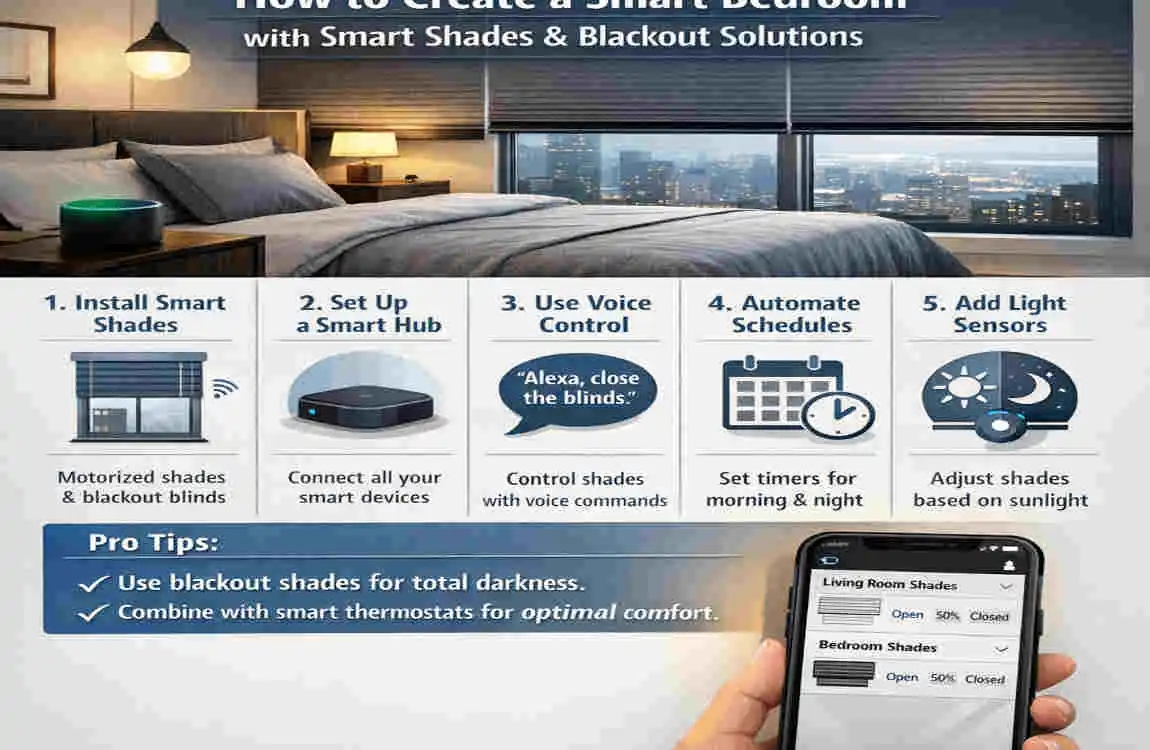
Smart Shades and Blackout Solutions
Light is the enemy of sleep. Even streetlights outside your window can disrupt your deep sleep cycles. Learning how to make a smart bedroom involves mastering light control.
Motorized Shades
This feels like the ultimate luxury. Motorized shades can replace your existing curtains or blinds.
- Top Options: Lutron Serena shades are quiet and reliable, though pricey. IKEA Fyrtur blinds are a fantastic mid-range option that works with most smart home hubs.
- The Setup: Most modern options are battery-powered, so you don’t need to wire anything into your walls. You mount brackets, clip them in, and charge the battery pack once every few months.
Sunrise Simulations
The real magic of smart shades is in the morning. Instead of a blaring alarm, you can schedule your shades to open gradually over 15 minutes, starting at 6:45 AM for a 7:00 AM wake-up. This allows natural sunlight to hit your face, suppressing melatonin and waking you up gently and naturally.
Budget Hacks
If custom motorized shades are out of your price range, look for retrofit kits like the Switch Bot Curtain. These are small robots that hang on your existing curtain rod. When activated, the robot wheels move along the rod, pushing your regular curtains open or closed. It is a brilliant way to get automation for a fraction of the cost.
Auto-Close Schedule: Set your shades to close automatically at sunset. This provides instant privacy and insulation as soon as it gets dark, without you having to lift a finger.
Sleep Tech and Tracking Essentials
To truly transform rest, we need to look at the technology that interacts directly with your body. Sleep tech has advanced rapidly, moving from simple step counters to sophisticated recovery tools.
Wearables vs. Nearables
You have two choices for tracking: wear something, or put something under you.
- Wearables: The Oura Ring and Whoop Strap are leaders here. The Oura Ring is particularly good for bedrooms because it lacks a screen—it won’t distract you with notifications. It tracks your sleep stages (Light, Deep, REM) and gives you a “Readiness Score” in the morning.
- Mattress Trackers: If you hate wearing jewelry to bed, look at the Withings Sleep Tracking Mat. It slides under your mattress and tracks movement, heart rate, and even snoring.
The Smart Mattress Revolution
If you are ready to invest, the Eight Sleep Pod is the pinnacle of smart bedding. It is a mattress cover that uses water to heat or cool your side of the bed. It can physically change the temperature throughout the night to keep you in deep sleep longer. It even has a vibration alarm to wake you up without noise.
Alarms and Sound Systems
Sound is crucial for falling asleep and waking up.
- Sunrise Lamps: The Philips Wake-Up Light mimics the colors of a sunrise. It is perfect if you have blackout curtains and can’t use natural light.
- Soundscapes: Use a high-quality smart speaker (like a Sonos One) to play “Sleep Stories” or white noise. Apps like Calm or Headspace integrate directly with these speakers.
Sleep Tech Comparison
Tracker Battery Life Key Metric Cost
Oura Ring Gen3 7 days Sleep Stages & Readiness ~$300
Eight Sleep Pod N/A (Plug-in) Active Temperature Cooling $2000+
Whoop 4.0 4-5 days Strain & Recovery Subscription
Security and Privacy Features
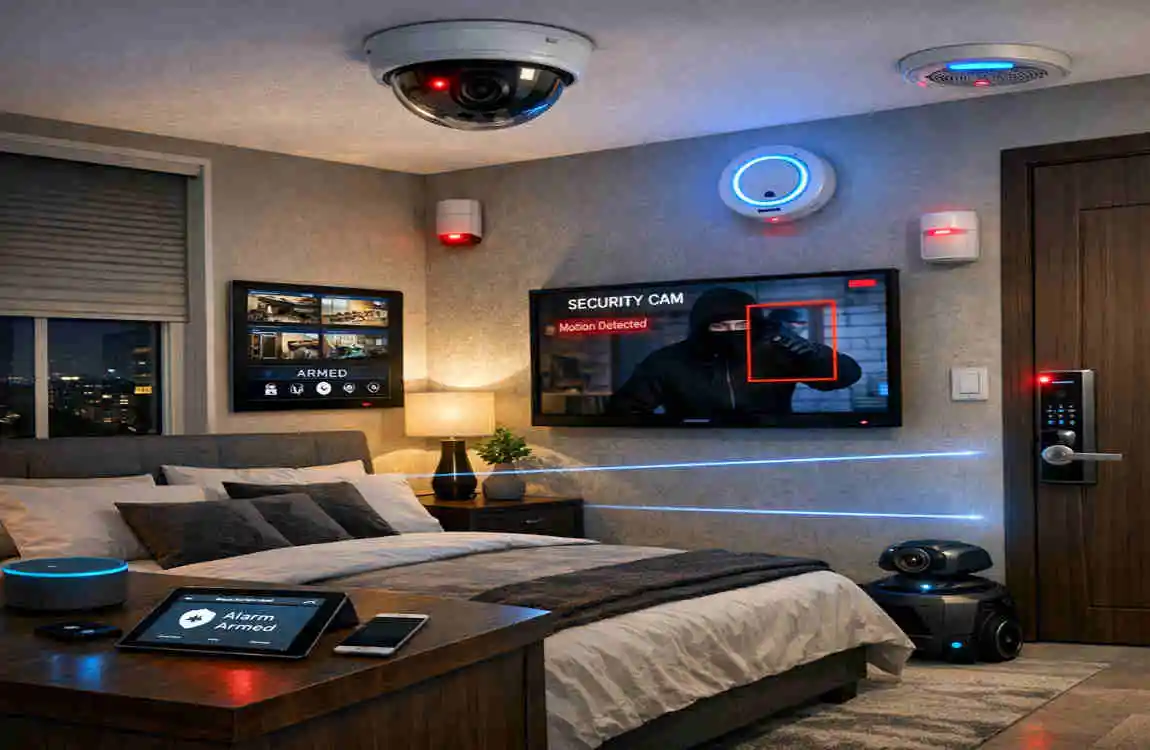
It is hard to sleep deeply if you are worried about safety. Integrating security into your bedroom setup provides peace of mind.
Smart Cameras (With Caution)
Generally, we do not recommend cameras inside the bedroom for privacy reasons. However, having access to external camera feeds from your bedroom is excellent.
- Usage: If you hear a noise outside at 2:00 AM, you can look at your Echo Show or Google Nest Hub on your nightstand and see the feed from your Wyze Cam v3 or Ring Doorbell. You stay safe in bed while checking the perimeter.
Smart Locks
Ever lie in bed and wonder, “Did I lock the front door?”
- The Fix: With an August Smart Lock or Yale Assure Lock, you can check the status on your phone. Better yet, create a routine that automatically locks all doors at 10:00 PM.
Privacy Tips
When bringing microphones and cameras into your private space, be smart.
- Mute Buttons: Smart speakers have physical mute switches. Use them when you want guaranteed privacy.
- Lens Covers: Ensure any camera devices (like the Echo Show) have physical shutters over the lens.
- Network Security: Keep your smart home devices on a “Guest Network” on your router if possible, separating them from your computer where you do banking.
Full Automation Routines
Now, let’s tie everything together. A smart bedroom isn’t about opening five different apps to turn on five different devices. It is about Scenes and Routines. Here is how to program the ultimate flow.
The “Goodnight” Routine
Trigger: You say, “Alexa, Goodnight” or “Hey Google, Bedtime.”
- Action 1: The main overhead lights turn off immediately.
- Action 2: The bedside lamps dim to 10% warm amber for 5 minutes, then turn off.
- Action 3: The smart shades lower to the blackout position.
- Action 4: The thermostat drops to 66°F.
- Action 5: The smart lock on the front door engages.
- Action 6: The smart speaker begins playing rain sounds at volume 3.
The “Good Morning” Routine
Trigger: 7:00 AM (Scheduled)
- Action 1: The smart thermostat begins warming the room to 70°F at 6:30 AM.
- Action 2: The shades open to 50% at 6:45 AM.
- Action 3: At 7:00 AM, the lights fade up to Cool White.
- Action 4: The smart plug in the kitchen turns on the coffee maker.
- Action 5: Your smart speaker reads you the weather forecast and your calendar for the day.
Customization with IFTTT
If your devices are from different brands that don’t talk to each other naturally, use a free service called IFTTT (If This, Then That).
Budget vs. Premium Builds
You might be wondering what the total damage to your wallet will be. The beauty of learning how to make a smart bedroom is that it is modular.
The Budget Build (~$300)
This setup gives you the core benefits of lighting control and voice assistance.
- Hub: Amazon Echo Dot ($50)
- Lighting: 2 Govee Smart Bulbs ($25)
- Comfort: 1 Smart Plug for a fan ($15)
- Curtains: SwitchBot Curtain Robot ($90)
- Security: Wyze Cam (for outside view) ($35)
- Cables/Misc: ($50)
The Premium Build (~$2,500+)
This is the “Tech-Powered Bliss” package for total optimization.
- Hub: Google Nest Hub Max ($230)
- Lighting: Full Philips Hue setup with strips and bulbs ($400)
- Comfort: Dyson Pure Cool Air Purifier ($600) + Ecobee Thermostat ($250)
- Shades: Custom Lutron Serena Shades ($600 per window)
- Sleep: Oura Ring ($300)
Tier Total Cost Devices Included
Budget $300 Hub, Plugs, Bulbs, Retrofit Curtains
Premium $2500+ All above + Custom Shades, Air Purifier, Smart Thermostat
Frequently Asked Questions: How to Make a Smart Bedroom
Q: What is the easiest way to start a smart bedroom setup? A: The simplest entry point is using smart plugs. You can transform your existing “dumb” devices—like bedside lamps or floor fans—into smart ones just by plugging them into a smart outlet. Once plugged in, you connect them to your Wi-Fi via an app, allowing you to control them with your phone or voice . This is often recommended as the perfect starting point for beginners .
Q: Can I build a smart bedroom on a tight budget? A: Absolutely. You don’t need to outfit your entire room with the most expensive gadgets to see a benefit . While premium lighting systems like Philips Hue are popular, they can be pricey; you can opt for lower-cost alternatives like the Amazon Glow or simple LED strips to get that “wow” factor without breaking the bank .
Q: How does smart lighting improve the room? A: Good lighting is key to transforming a small bedroom. Instead of relying solely on harsh overhead lights, you can layer your lighting using bedside lamps and LED strips tucked under shelves or beds . This creates the relaxation and ambiance necessary for better sleep quality .
Q: Do I need to be a tech expert to set this up? A: Not at all. Most modern devices are designed for easy consumer use. For example, smart plugs usually just require following a few directions in an app to connect to your network . For more advanced users, you can eventually dive into creating specific automations and shortcuts within apps like Apple Home or Google Home to run complex routines .
Q: Can I automate my ceiling fan? A: Yes. If you don’t want to replace the entire fan, you can install a smart fan controller (like an Inovelli switch) to replace your wall switch, giving you smart control over your existing cooling system .